Why are some LED high bays dimming over time? In warehouses, gyms, and manufacturing spaces, the change may appear gradual: a once-bright fixture leaves darker patches across a workbench or aisle. Dimming does not always mean the LED chips have reached the end of their useful life. Heat, driver wear, dust on lenses, loose connections, and control settings can all reduce measured or perceived light. The distinction matters. A dusty lens can often be cleaned; a failing driver may need replacement.
The U.S. Department of Energy’s guidance on LED luminaire lifetime, together with IES LM-80 and TM-21 methods, provides a professional framework for evaluating light-output maintenance. L70 is a common reporting measure: the projected time until output reaches 70% of its initial level. It is not a promise that every complete high-bay fixture will perform identically. Those methods assess defined test conditions and components, while real installations add heat, vibration, operating hours, and maintenance differences. Not a failure verdict. For a useful diagnosis, compare current readings with commissioning records, check the fixture’s temperature and driver, and inspect lenses for dust or yellowing. Measurements matter more than memory, though a clear record is not always available. This guide examines why output falls, how to separate normal lumen depreciation from fixable faults, and what evidence to request before replacing fixtures. Some causes overlap. That is worth remembering.
In an LED high bay, light starts inside a semiconductor chip. An electronic driver converts incoming power into a controlled current. As current crosses the chip’s junction, electrons meet tiny gaps called holes and release energy as photons. That is the light you see. Small process, big effect.
Many white fixtures use a blue LED chip with a phosphor coating. The phosphor changes part of the blue light into broader wavelengths, creating a white appearance. A lens or reflector then spreads the output across floors, racks, or work areas. Heat matters, too. The chip and driver both generate it, so the fixture’s heat sink must carry it away. Warm air trapped above a tall ceiling can make that job harder.
It is tempting to blame the LED chip alone when a high bay grows dim, but that can be a lazy diagnosis. Heat, aging components, dust on the lens, or a weakening driver can all reduce visible output. Control settings may also lower brightness without an obvious sign. Check the fixture’s temperature, driver, and lens before assuming the chip has failed. The cause is not always neat. A dusty lens and a tired driver can look much alike from the floor.
How Light Output Declines During Operation
At installation, a high bay’s bright, even pool of light can make a warehouse floor look almost newly painted. Over time, measured output may fall, even when the fixture still turns on reliably. LED light loss is gradual, not usually a sudden failure.
The U.S. Department of Energy’s 2014 report, LED Luminaire Lifetime: Recommendations for Testing and Reporting, describes L70 as the point when output reaches 70% of its initial level. It is a maintenance benchmark, not a promise that every fixture will dim at the same rate. IES LM-80 testing tracks LED-source output over time; TM-21 uses those measurements to project lumen maintenance. These tests do not, by themselves, capture every condition inside an installed high bay.
Heat matters. High ambient temperatures, restricted airflow, or dust-covered heat sinks can raise LED operating temperatures and accelerate light-output decline. Aging phosphors and optical materials can also reduce transmitted light. Meanwhile, dust on a lens may make a fixture seem dimmer, though cleaning can recover some of that lost brightness.
A weakening driver can affect output too. Not overnight. Comparing illuminance readings at the same floor locations, and recording operating hours and cleaning dates, helps separate gradual aging from dirt or electrical changes. I would not judge a fixture by appearance alone; eyes adapt, and the result can be misleading.
LED high bays usually dim because heat, aging optics, or declining driver output affect different parts of the fixture. The LED package can lose light when junction temperatures stay high, especially in enclosed housings or dusty warehouses. Dust on the lens also reduces measured output, though cleaning may restore some brightness. It is not always chip failure.
IES LM-80-15 measures LED-package lumen maintenance for at least 6,000 hours; 10,000-hour tests are also common. These are test durations, not promises that a complete high bay will last that long. The U.S. Department of Energy’s report, LED Luminaire Lifetime: Recommendations for Testing and Reporting, stresses that luminaire life depends on multiple components. Drivers are one weak point: heat can age electrolytic capacitors and cause output current to fall. Look for uneven dimming, flicker, or a fixture that takes longer to reach full brightness. Small clues matter.
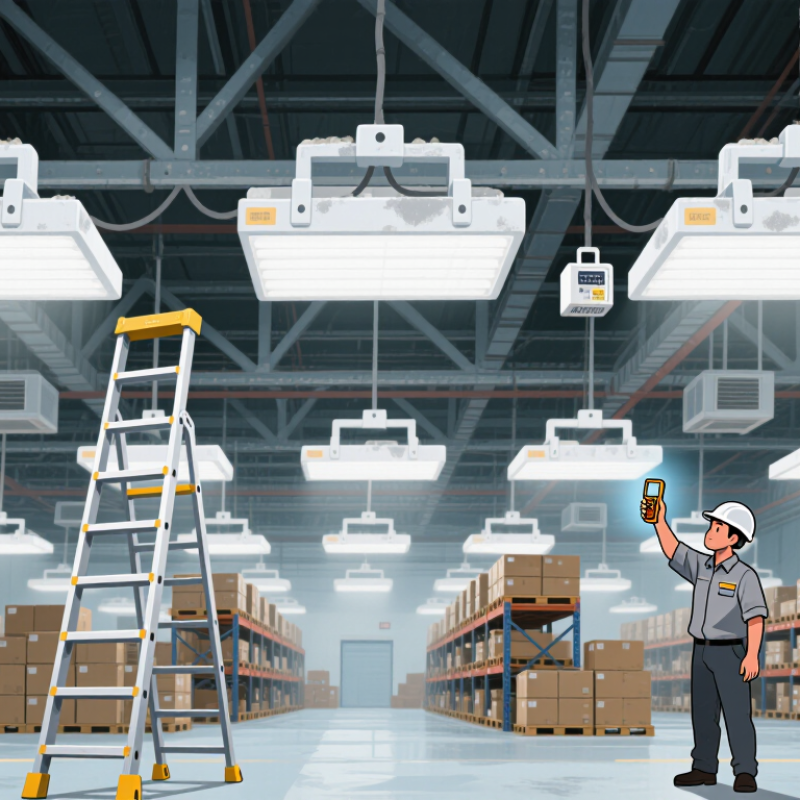
A maintenance check should record light levels, inspect lenses and heatsinks, and compare driver output with the fixture’s specifications. One caveat: a handheld lux reading changes with mounting height and room conditions, so repeat measurements from the same position. That part is easy to overlook.
| Component or Factor | Role in the Fixture | How It Can Cause Gradual Dimming | Typical Clues | Practical Checks |
|---|---|---|---|---|
| LED chips | Convert electrical energy into light. | Light output gradually declines as the LEDs operate. High operating temperatures and extended use can accelerate lumen depreciation. | Light output is lower than when the fixture was new, while the fixture may still turn on normally. | Compare illuminance readings with earlier measurements under similar conditions. Check operating temperature and review the fixture’s lumen-maintenance specifications. |
| LED driver | Converts incoming power into regulated current for the LEDs. | Ageing electronic components or heat stress can reduce the driver’s ability to maintain the intended output current. | Dimming may be accompanied by flickering, delayed start-up, intermittent operation, or differences between fixtures. | Check for loose connections, abnormal noise, or signs of overheating. Have a qualified person test the driver output and verify compatibility with the fixture. |
| Thermal management system | Moves heat away from the LEDs and driver through the heat sink and fixture body. | Dust buildup, restricted airflow, or poor heat transfer can raise component temperatures and speed up light-output depreciation. | Fixtures in dusty or hot areas may dim sooner; excessive heat can also shorten component life. | Inspect and clean heat-sink surfaces and ventilation paths with power isolated. Check that the fixture is installed in an environment within its rated temperature limits. |
| Optical cover or lens | Protects the LED assembly and directs or diffuses light. | Dust, grime, yellowing, or surface damage can reduce the light that reaches the work area even when LED output has changed little. | The lens looks cloudy, discolored, or dirty; light levels improve after appropriate cleaning. | Inspect the cover and clean it using the method recommended for the fixture. Replace it if it is damaged or permanently discolored. |
| Reflector | Helps distribute light from the fixture into the space. | Dust, corrosion, or damage can reduce or alter reflected light, making the area appear dimmer or less uniform. | Uneven light distribution or visible dirt and corrosion on reflective surfaces. | Inspect the reflector and surrounding surfaces. Clean or replace damaged parts according to the fixture’s maintenance instructions. |
| Wiring and electrical connections | Deliver power to the driver and fixture. | Loose, corroded, or damaged connections can cause voltage drop or intermittent power, affecting output and reliability. | One fixture is dimmer than others, or output changes when nearby equipment operates. | Have a qualified electrician inspect connections and measure supply voltage under load. Isolate power before any inspection or repair. |
| Controls and dimming settings | Adjust fixture output through sensors, switches, or control systems. | A changed dimming level, sensor setting, or control signal can make a fixture appear to have aged when it is operating at a lower commanded output. | Output changes by time of day, occupancy, or control-zone setting; multiple fixtures may dim together. | Review control schedules, sensor settings, dimmer configuration, and control-system logs. Confirm the fixture is receiving the intended dimming signal. |
| Ambient conditions and operating hours | Determine the conditions under which the fixture operates. | High ambient temperatures, frequent switching, long operating hours, and airborne contaminants can increase stress on fixture components. | Fixtures in hotter, dirtier, or longer-running areas may show more wear than fixtures in other locations. | Compare operating conditions across locations. Maintain suitable ventilation, clean fixtures as needed, and track operating hours and light levels. |
LED high bays often lose output faster when heat cannot escape. A fixture above a hot production line may run for hours near ovens, motors, or warm ceilings. Heat matters. High LED junction temperatures can speed lumen depreciation and stress the driver. Dust and oil mist also settle on lenses and heat sinks. Dust builds slowly. A coated lens can make a healthy LED appear dimmer, while clogged fins trap more heat.
Moisture adds another complication. In damp or washdown areas, corrosion can form around connectors and circuit boards, especially when seals are damaged. Electrical conditions matter too. Voltage fluctuations, repeated surges, and loose terminals can strain the driver or interrupt steady output. A loose connection may also create localized heating. Not every dim fixture has failing LEDs. Sometimes a control setting, aging sensor, or dirty lens is responsible.
Check the operating environment before replacing a fixture. Compare light levels at the same locations and time of day, then inspect lenses, ventilation, wiring, and control settings. A sudden drop in brightness differs from gradual aging. That distinction is easy to miss. Have a qualified electrician assess abnormal voltage, damaged wiring, or repeated driver failures; visual checks cannot confirm every electrical fault. Dust patterns, darkened connectors, and unusually warm housings can help narrow the cause, but they are clues, not proof.
To assess why an LED high bay looks dim, measure light at the work surface with a lux meter, then compare readings at the same locations and operating conditions. Clean the lens first; dust can mimic aging. Check supply voltage, dimmer settings, ambient temperature, and whether nearby fixtures show the same change. A single visual impression is not enough.
The U.S. Department of Energy’s LED lifetime guidance explains that lumen maintenance is commonly expressed as the time until output falls to 70% of its initial level, or L70. IES LM-80 testing measures LED-package output for at least 6,000 hours; TM-21 uses those results to estimate longer-term lumen maintenance. These are useful projections, not a promise that a complete high-bay fixture will perform identically in a hot, dusty ceiling. Drivers, optics, and heat management matter too.
Reduce avoidable stress. Clear dust from heat sinks and lenses, keep ventilation paths open, and verify that controls are compatible with the fixture. If one unit dims sharply while similar units remain steady, inspect its driver and wiring before replacing the whole system. Record dates, readings, and temperatures. Small differences matter. And sometimes the first measurement is simply wrong; repeat it before deciding.
Heat, aging optics, and declining driver output are common causes. Heat matters.
No. Dust on the lens, a control setting, or an aging sensor may reduce brightness. It is tempting to blame the LEDs too quickly.
Dust can coat the lens and reduce light output. It can also clog heatsink fins and trap heat.
Watch for uneven dimming, flicker, or a slow start. These are clues, not proof.
Hot surroundings can speed light loss and stress the driver. Moisture may cause corrosion near connectors or circuit boards.
It measures LED-package lumen maintenance over a set period, often at least 6,000 hours. It does not promise that a complete fixture will last that long.
Measure from the same position and compare readings under similar room conditions. Mounting height and other changes can affect handheld lux readings.
Ask a qualified electrician to assess abnormal voltage, damaged wiring, or repeated driver failures. Visual checks cannot confirm every electrical fault.
Why are some LED high bays dimming over time? The answer begins with how these fixtures create light: LED chips convert electrical energy into light, while drivers regulate the power and heat-management components help keep operating temperatures under control. As the fixture runs, its light output can gradually decline. This normal aging may be influenced by changes in the LEDs, driver performance, and the condition of optical parts such as lenses and reflectors.
The rate of dimming can increase when fixtures operate in excessive heat, collect dust, experience poor ventilation, or receive unstable electrical power. To assess the problem, compare current brightness with earlier performance, inspect for dirt or visible damage, and check whether the driver or connections show signs of trouble. Regular cleaning, adequate airflow, stable power, and timely replacement of worn components can help maintain useful light output and extend service life.

Suvlux Light